
langchain-mcp-client
This simple Model Context Protocol (MCP) client demonstrates the use of MCP server tools by LangChain ReAct Agent.


🦜 🔗 LangChain MCP Client


This simple Model Context Protocol (MCP) client demonstrates the use of MCP server tools by LangChain ReAct Agent.
- 🌐 Seamlessly connect to any MCP servers.
- 🤖 Use any LangChain-compatible LLM for flexible model selection.
- 💬 Interact via CLI, enabling dynamic conversations.
Conversion to LangChain Tools
It leverages a utility function convert_mcp_to_langchain_tools() from
langchain_mcp_tools.
This function handles parallel initialization of specified multiple MCP servers
and converts their available tools into a list of LangChain-compatible tools
(List[BaseTool]).
Installation
The python version should be 3.11 or higher.
pip install langchain_mcp_client
Configuration
Create a .env file containing all the necessary API_KEYS to access your LLM.
Configure the LLM, MCP servers, and prompt example in the llm_mcp_config.json5 file:
- LLM Configuration: Set up your LLM parameters.
- MCP Servers: Specify the MCP servers to connect to.
- Example Queries: Define example queries that invoke MCP server tools. Press Enter to use these example queries when prompted.
Usage
langchain-mcp-client
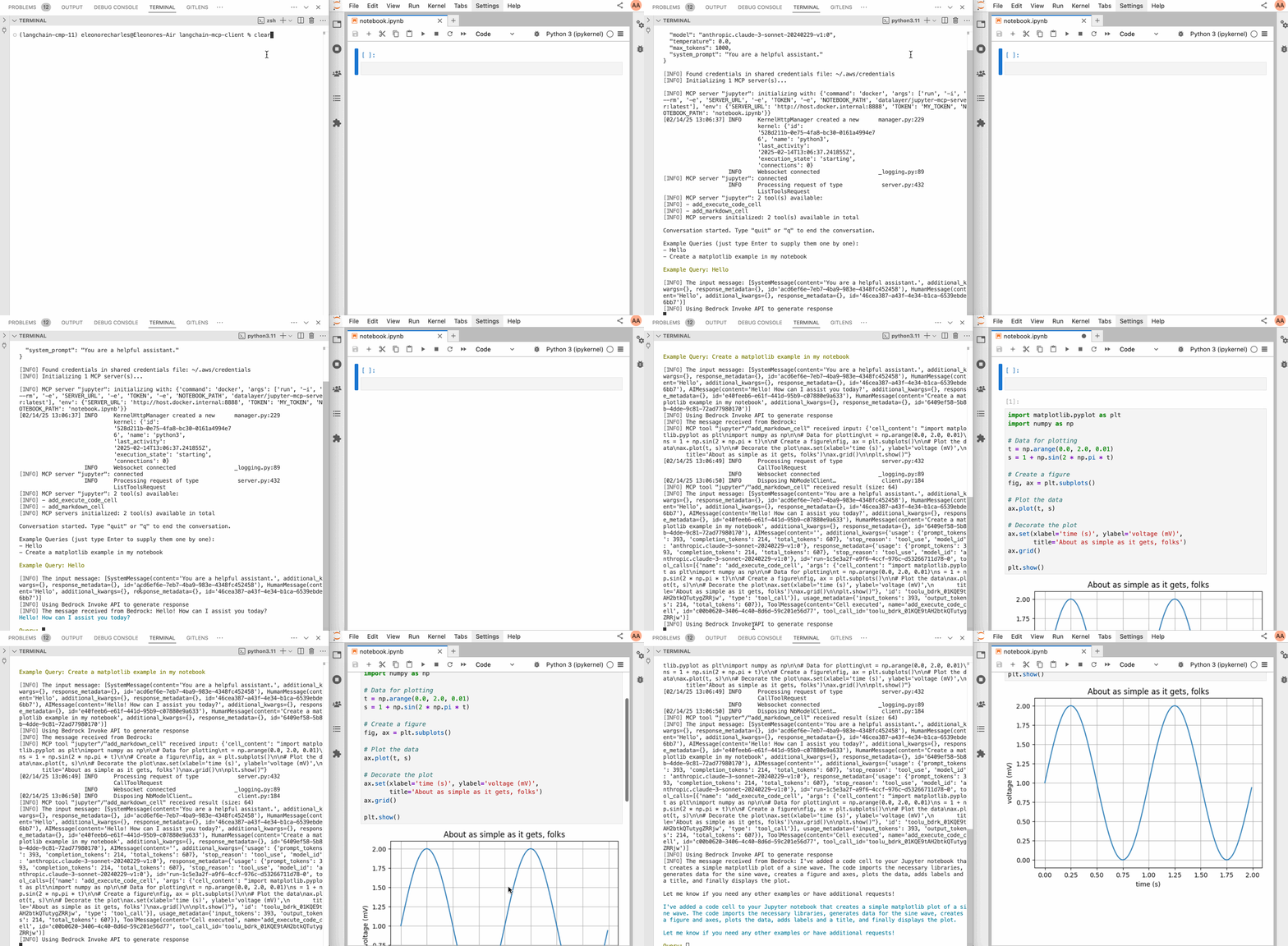
Below an example with jupyter-mcp-server:
Credits
This initial code of this repo is taken from from hideya/mcp-client-langchain-py (MIT License).